Download Meton WalletNon-Custodial Crypto Protection
Take complete control of your crypto. Available on iOS and Android. Create a wallet in minutes, back up your 24-word recovery seed, and start managing crypto protected by Security Gate on every transaction.
Trusted by most of our users, every day.
Download Meton Wallet — Choose Your Platform
Get Started in Minutes. No Sign-Up. No Personal Data.
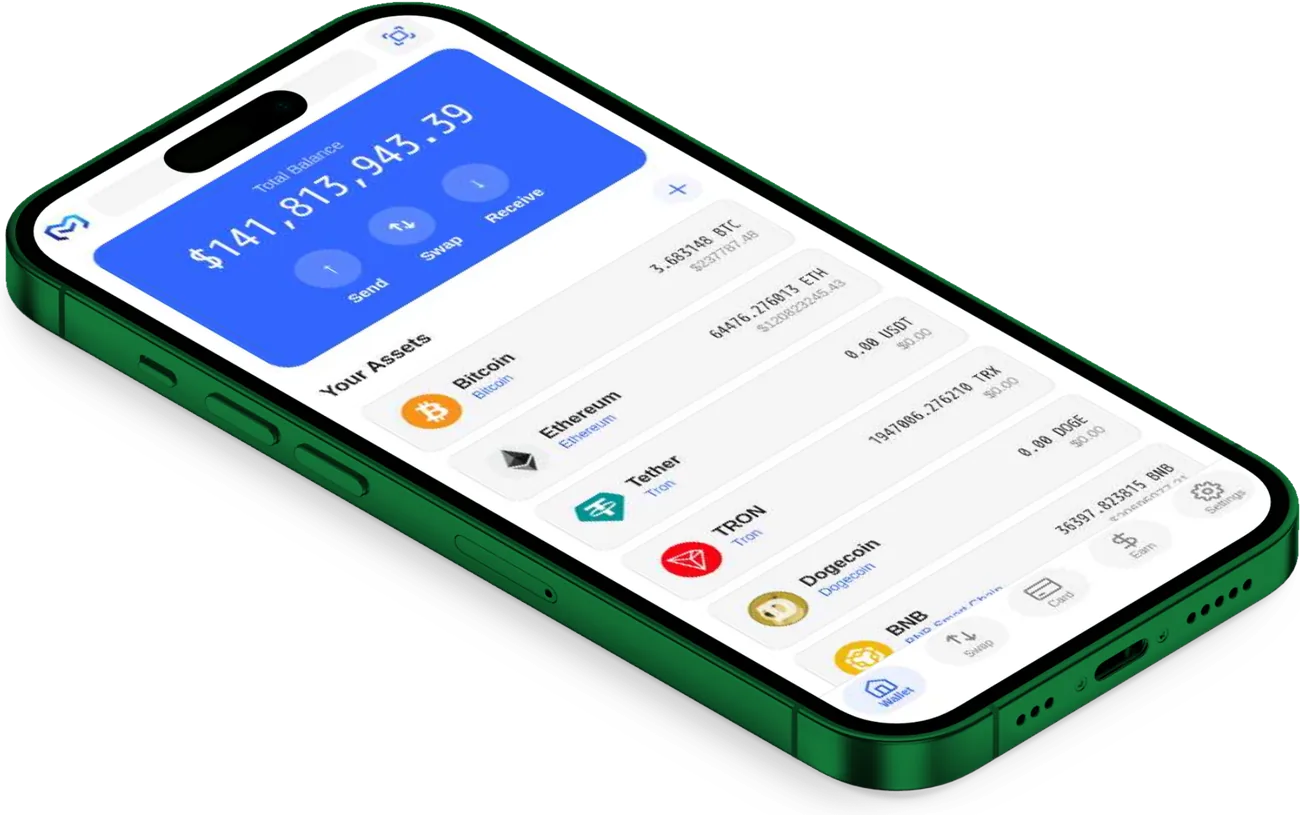
Meton Wallet for iPhone
Full Security Gate protection. Complete non-custodial control. Optimized for iPhone and iPad.
Requirements:
- iOS 14.0 or later
- iPhone 8 or newer / iPad 5th gen+
- 150 MB free storage
- Face ID / Touch ID for best experience
Features:
- Send & receive on 20+ blockchains
- Security Gate on every transaction
- Create unlimited wallets
- Multi-wallet switching
- Zero third-party integrations — nothing to phish
- Biometric + PIN protection
Meton Wallet for Android
Full Security Gate protection. Complete non-custodial control. Works on all Android phones and tablets.
Requirements:
- Android 8.0 (API 26) or later
- 2 GB RAM minimum (4 GB recommended)
- 150 MB free storage
- Biometric support recommended
Features:
- Send & receive on 20+ blockchains
- Security Gate on every transaction
- Create unlimited wallets
- Multi-wallet switching
- Zero third-party integrations — nothing to phish
- Biometric + PIN protection
Get Started in 4 Steps
From download to your first transaction in under 10 minutes.
Download the App
Choose your platform above and download Meton Wallet. Installation takes less than 2 minutes.
iOS: App Store → search "Meton Wallet" → Install · Android: Google Play → search "Meton Wallet" → Install
Create Your Wallet
Open Meton Wallet and tap "Create New Wallet." Choose a name (Trading, Savings, etc.). Your wallet is created instantly.
No sign-up forms. No personal data. No KYC verification required.
Back Up Your Recovery Seed
Meton generates your 24-word recovery seed. Write it down on paper. Store it safely. This seed backs up ALL your crypto across all blockchains.
CRITICAL: Never share your seed phrase. Never type it into websites. Never store it online. Write on paper and keep it secure.
Start Using Your Wallet
Your wallet is ready. Receive crypto from exchanges or friends and send to other wallets — every transfer screened by Security Gate.
Every transaction is automatically checked by Security Gate's 5-point verification system.
Your Security is Our Priority
Every layer of Meton Wallet is designed for maximum security and privacy.
Non-Custodial
Your private keys are stored on your device. We cannot access your crypto. No central point of failure.
Encrypted
AES-256 military-grade encryption. Recovery seed encrypted. PIN hashed and salted. TLS 1.3 for all connections.
Private
No personal data collected. No sign-up. No email. No phone number. We don't know who you are.
Security Gate
Every transaction checked for fraud. Biometric + PIN protection. Hardware wallet integration available.
Transparent
Open about our security, integrations, and limitations. Independent audits. No hidden fees.
Device Compatibility
Meton Wallet works on virtually every modern device.
| Device | Supported | Requirements |
|---|---|---|
| iPhone | Yes | iOS 14.0+ |
| iPad | Yes | iOS 14.0+ |
| Android Phone | Yes | Android 8.0+ |
| Android Tablet | Yes | Android 8.0+ |
| Windows Computer | Yes | Modern browser |
| Mac Computer | Yes | Modern browser |
| Linux Computer | Yes | Modern browser |
| Chromebook | Yes | Chrome browser |
Common Download Questions
Is Meton Wallet Free?
Yes. Downloading and using Meton Wallet is completely free. No hidden fees, no subscription charges, no premium feature paywalls.
Is It Safe to Download?
Yes. Meton Wallet is published on official app stores (iOS App Store and Google Play) and verified by their security teams. Every line of code and every update is automatically scanned with Trivy, Snyk, and Semgrep before it ships.
Will It Work Offline?
You can view your wallet balances offline, but you cannot send or receive without an internet connection. Security Gate requires connectivity to verify transactions in real-time.
How Much Storage Does It Use?
About 150 MB. A small download that doesn't take up much space on your device.
Can I Use Meton Wallet on Multiple Devices?
Yes. Use your recovery seed to restore your wallet on any device. Your recovery seed controls all your crypto across all devices. Each device is separate until you explicitly restore using your seed.
What Should I Do if I Lose My Phone?
Download Meton Wallet on a new device, choose "Restore from Seed," enter your 24-word recovery seed, and your entire wallet is restored. As long as you have your recovery seed, your crypto is safe.
Can I Delete Meton Wallet and Reinstall Later?
Yes. You can delete the app and reinstall it anytime. As long as you have your recovery seed, you can restore your wallet with all your crypto.
Is Meton Wallet Open Source?
Currently closed source for security reasons. Instead, every line of code and every update is automatically scanned with Trivy, Snyk, and Semgrep before it ships — so the code is continuously checked even without being public. We're exploring open-sourcing certain components in the future.
What to Do After Installation
- 1Download Meton Wallet using the button above
- 2Create your wallet with a name (Trading, Savings, etc.)
- 3Write down your seed on paper and store safely
- 4Set your PIN (6-digit code to unlock wallet)
- 5Enable Biometrics (Face ID / Touch ID)
- 6Receive your first crypto from an exchange or friend
- 7Explore the interface — send a small test transaction
- 8Read our Help articles to learn more about features
Need Help?
If Something's Wrong:
• Check your internet connection
• Make sure you're using the latest app version
• Clear app cache and try again
Ready to Take Control of Your Crypto?
Download Meton Wallet now. Non-custodial protection. Security Gate on every transaction. Complete control.
Trusted by most of our users, every day.